Stop-loss on a stock perpetual: mark price or last price, and why weekend stops slip
Trigger a protective stop on the mark price, send it as a stop-market order with Reduce-Only on, and leave price protection off on that one order. That stop fires on the same price that liquidates you, ignores a single print in a thin weekend book, and stays inside the 3% price band Binance applies to stock and ETF contracts. What no setting can do is sell at your stop price when the stock reopens below it on Monday. A stop is an instruction to leave, not a promised price, and on a market that shuts every weekend the gap is the risk you actually carry.
The four settings, and what each one costs you
| Setting | Our choice | Why | What it costs |
|---|---|---|---|
| Trigger price | Mark | Liquidation and unrealised PnL are computed from the mark. One market order in a thin book can print a last price that the mark never follows | The fill can land further from the trigger than a last-price stop would, a trade-off Binance’s own stop-order article names |
| Order type | Stop-market | A stop-limit with a wide buffer can fall outside the 3% limit-order band; one with a narrow buffer can be skipped by a gap | You take what the book pays at the moment of trigger |
| Reduce-Only or Close Position | On | The stop can only shrink the position. If you already closed by hand, it cannot open a trade the other way | Nothing worth naming |
| Price protection | Off on the stop-loss; your call on take-profit | It blocks a trigger when mark and last are more than 3% apart, which on these contracts is likeliest at a reopen, the minute the stop exists for | Without it, a stop can fill at a last price well away from the mark |
When you pick Stop Limit or Stop Market in the order panel, look for the Last/Mark choice next to the trigger field before you confirm, and check it again on every conditional order you add later. Orders sent through the API work differently: Binance’s API documentation sets the trigger type with workingType, and when the order leaves it out, the default is the contract (last) price. Price protection lives elsewhere. Binance’s FAQ puts it behind the settings icon on the web trading page, under [Price Protection], and in the app under Futures → […] → [Preferences] → [Price Protection]. It can also be switched per order.
What a mark-price trigger watches that a last-price trigger does not
The last price is simply the latest trade in Binance’s own contract book. A single market sell into thin bids prints it. The mark price is a median of three prices built around the index (how the median is put together), so one order is not enough to move it, and Binance caps how far it may drift from the index.
That difference matters most when you are protecting a leveraged position. Liquidation reads the mark (why the mark, not the last trade). A stop on the last price and a liquidation on the mark are watching two different numbers, and they can fire in the wrong order in two ways.
- The stop fires for nothing. A brief sweep prints a low last price, your last-price stop closes the position, and the mark never came near your level. You paid the spread and the fee to leave a trade that was not in trouble.
- Liquidation arrives first. If the contract trades at a premium to the mark, the last price sits above it. At high leverage your stop and your liquidation price are close together, and a last-price stop can still be waiting while the mark reaches the liquidation price.
A mark-price stop removes both problems, because the stop and the liquidation now read the same number and the stop is always reached first. What you give up is closeness to the fill. When a mark-price stop fires, it sends a market order into a book that may be trading some distance from the mark. Binance’s stop-order article makes exactly this trade: a last-price trigger sits nearer the execution price, while a mark-price trigger does better at avoiding liquidation.
Price protection: the 3% threshold, and two answers about what happens next
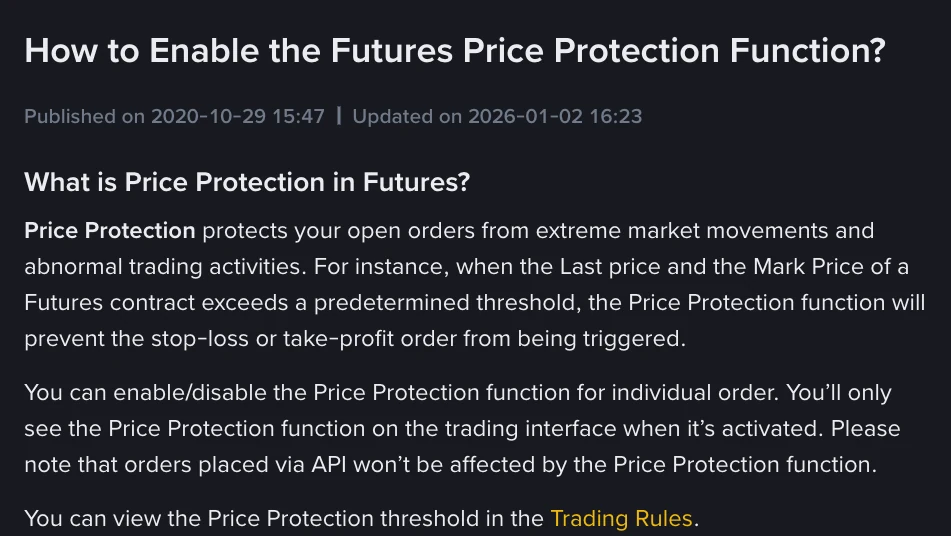
Binance’s FAQ on the feature describes it plainly. When the last price and the mark price differ by more than a set threshold, price protection stops a stop-loss or take-profit order from being triggered. You can turn it on or off for each order. Orders placed through the API are not affected by the toggle; they carry their own priceProtect flag, which the API documentation limits to stop-market and take-profit-market orders. The threshold itself is on the Trading Rules page.
On the Trading Rules page, every equity and ETF contract we filtered on 9 November 2026 showed a price protection threshold of 3%: SPYUSDT, QQQUSDT, TQQQUSDT, SQQQUSDT, TSLAUSDT, NVDAUSDT, AAPLUSDT and MSTRUSDT. Gold, XAUUSDT, showed 2%.

SPYUSDT. The last column is the price protection threshold; the 3% / 3% in the middle is the limit-order band discussed in the next section.The two Binance pages give different answers about what happens to a blocked order. The FAQ’s worked example says the protected order “would stay in the order book”. Binance’s older article on stop orders, dated 22 February 2023, says a blocked stop expires. We cannot tell you which one the matching engine follows today. The FAQ is the more recent page, but if a blocked stop has quietly expired, you are holding a position with no protection, so check. After any session in which the market moved hard, open [Open Orders] and confirm the stop is still there.
So when is protection worth having? On a take-profit, a blocked trigger costs you a better exit, which is cheap. On a last-price stop, it does real work by filtering out the wick the trigger would otherwise react to. On a mark-price stop-loss it adds little, because the mark already ignores wicks. Its only effect there is to block the stop when the last price has run more than 3% from the mark. On stock contracts that is likeliest in the minutes when the index switches back to live market data. If the stop does not fire then, the next order that closes you is the liquidation. It reads the same mark, sells into the same book, and adds the 1.50% liquidation clearance fee the Trading Rules page lists for these contracts.
Why a stop-limit with a wide buffer can be refused
The usual advice is to use a stop-limit with the limit a little beyond the stop, so slippage has a ceiling. On these contracts that runs into two problems.
The first is the band. The Trading Rules page lists a Limit Order Price Cap/Floor of 3% / 3% on the stock and ETF contracts above. Binance’s API documentation explains how that filter works: a limit price is valid only within a range set from the mark price, so a sell limit must be at or above the mark times the floor ratio. With a 3% floor, a sell limit more than about 3% below the mark falls outside that range. Our reading is that a triggered stop-limit whose limit sits further than that from the mark can be rejected. Binance’s pages do not walk through that case for triggered orders, so treat it as an inference and test it with a small size before relying on it.
The second problem is the familiar one, and a gap makes it worse. If the book has already traded through your limit by the time the stop triggers, the limit order just rests there unfilled while the price keeps going. The order-type table in the how-to guide sets the two side by side.
A stop-market has a limit of its own. The same table lists a Market Order Price Cap/Floor of 3%. We read that as a cap on how far from the mark a market order can fill in one go, which means a stop-market in a thin book may fill only partly. After it fires, compare the filled quantity in Order History with your position. If you still prefer a stop-limit, keep the buffer at 1–2%, inside the band.
Why a weekend stop fills so far from the stop price
Since 16 May 2026, the index on equity contracts has been built from Binance’s own order book over weekends and holidays (Orderbook EWMA), and the mark is still the median of three prices around it (what that does to a weekend position). Nothing outside Binance can correct the price until the stock market reopens. When it does, the index moves back to live data through a weighted blend lasting about a minute (the one-minute blend). The blend smooths the path. It does not change where the price ends up.
Here is one hypothetical position run through four stop setups. You are long at 200 USDT with a stop at 194, 3% below. On Saturday a sell sweep prints a last price of 191 for a few seconds while the mark holds at 197. On Monday the index reconnects at 189.
| Stop setup | Saturday | Monday | Where you end up |
|---|---|---|---|
| Stop-market, last-price trigger | Fires on the 191 print, fills into a thin book around 190 | — | Out near 190 on a print the mark ignored. Had Monday opened at 199, you left for nothing |
| Stop-market, mark trigger, protection off | Ignored: mark at 197 | The mark crosses 194 during the blend and the order fills wherever the book trades that second | Out somewhere between 189 and 193; the gap decides the slippage |
| Stop-limit at 193, mark trigger | Ignored | Triggers at 194, but the book has already traded below 193 | Still long at 189, with a limit order that no longer protects anything |
| Stop-market, mark trigger, protection on | Ignored | If the last price prints 186 while the mark is at 194, they are 4.1% apart and the trigger is blocked | Still long into the gap; the order either waits or expires, depending on which Binance page is right |
None of the four sells at 194. The distance between your stop and your fill is gap loss, and its size comes from how big the position is and how much leverage it carries, not from the settings. Run the weekend gap calculator on the position before Friday’s close, and size from the gap rather than from the stop with the position size calculator.
Keep the stop well clear of the liquidation price
Once both the stop and the liquidation read the mark, their order is predictable: on a long, a stop above the liquidation price is reached first. Its fill is not. A stop-market fills below its trigger in a falling book, and if the trigger sits close to the liquidation price, the two can be decided in the same minute of a Monday reopen. At 20× on a stock contract the liquidation price is only a few per cent from entry, so a 3% stop and the liquidation line can sit within one ordinary gap of each other. Leave a distance between them at least as wide as the gap you would plan for over a weekend. The liquidation price calculator shows how much room you have, and the leverage tiers guide explains why that room shrinks as the position grows.
What a stop does not do
It does not cap the loss at the stop price, it does not work while the order is missing from Open Orders, and it does not shrink the position you opened. The first two are settings and checks. The third is the only one that limits a Monday gap.
Four checks before you leave a stop over a weekend
- Quantity and side still match. After a partial close or an add, a stop placed earlier can be larger or smaller than the position. Reduce-Only stops the oversize part from opening a new trade, but an undersized stop leaves part of the position unprotected.
- You are inside the order quotas. The Trading Rules page allows 200 conditional orders per account and 10 stop-type orders per symbol, so laddered stops and trailing stops count against the same 10 (the quota in detail).
- The stop is still there after the reopen. If anything moved hard, open Open Orders on Monday and then Order History. A stop that triggered, was blocked or expired will show up in one of the two.
- Bots and API orders have their own settings. The app’s price-protection toggle does not reach them. The order’s own
workingTypeandpriceProtectfields decide, and the trigger defaults to the last price.
Pages this guide relies on
- Binance, How to Enable the Futures Price Protection Function? (FAQ, updated 2 January 2026): what price protection blocks, the per-order setting, API orders unaffected, where the threshold is listed, the web and app menu paths, and the worked example of a protected order
- Binance, What Are Stop Orders in Binance Futures? (blog, 22 February 2023): the trade-off between last-price and mark-price triggers, and a blocked stop described as expiring
- Binance Futures, Trading Rules of USDⓈ-Margined Contracts, read 9 November 2026: price protection threshold, limit-order and market-order cap and floor, liquidation clearance fee and minimum notional for the equity and ETF contracts named above and for
XAUUSDT, plus the open-order limits in the page notes - Binance USDⓈ-M Futures API documentation, read 9 November 2026:
workingTypeand its default,priceProtect, and thePERCENT_PRICEfilter definition - Binance, Perpetual Futures on Traditional Assets (FAQ), read 20 October 2026: Orderbook EWMA over weekends and holidays, and the one-minute transition back to external data
The 200 USDT position and every price in the worked example are hypothetical. Thresholds and caps are as read on 9 November 2026 and can differ by contract and change without notice; the Trading Rules page is the current record.